
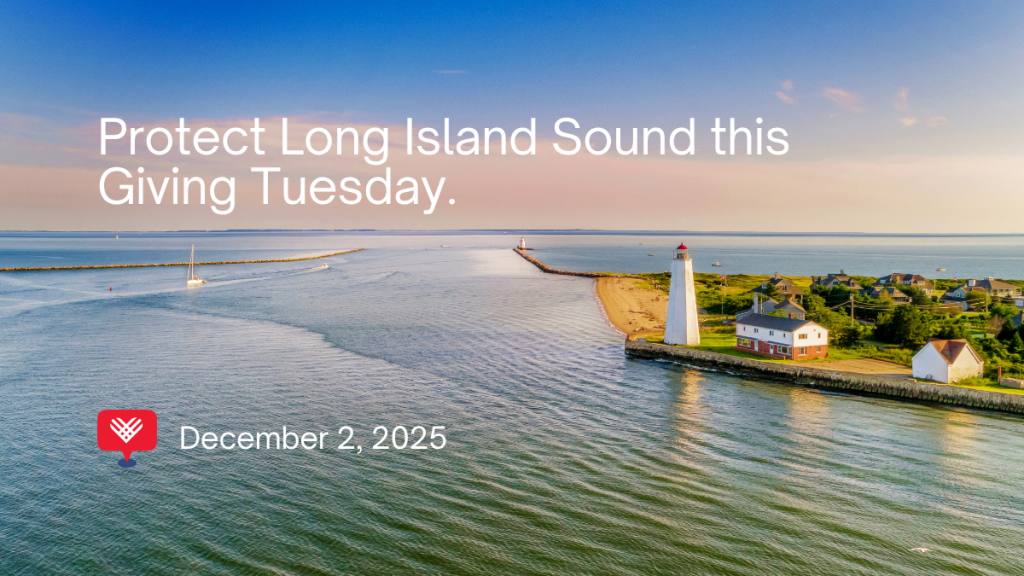
Peer-to-peer fundraising is an easy and impactful way for you to rally friends and family to support Save the Sound this Giving Tuesday. Peer-to-peer fundraising means asking people in your network to give in support of your campaign. Every gift helps protect Long Island Sound and its surrounding communities.
How to Host a Giving Tuesday Fundraiser
JUSTGIVING
- Go to justgiving.com/campaign/givethesound.
- Click “Start Fundraising.”
- Create an account if you don’t already have one.
- Set your fundraising target.
- Customize your page with a story about why protecting Long Island Sound matters to you.
- Add photos or videos to make your page engaging.
- Click “Create your page.”
- Share your link with friends and family via email and social media.
- Launch your campaign on Facebook with a post about your Giving Tuesday fundraiser.
- Desktop: Click Fundraisers in the left menu of your News Feed (see “See More” if necessary).
- Mobile: Tap the menu icon and scroll to Fundraisers.
- Click + Raise Money, select Nonprofit, choose Save the Sound, fill in the details, and the event cover image will appear automatically.
- Click Create.
- Send your campaign link to friends and family via email or Messenger.
Create a Fundraiser with a Post or Reel
- Create a new post or Reel: Tap the plus icon in your feed and select Post or Reel.
- Add a fundraiser: On the details screen, tap Add Fundraiser.
- Choose a nonprofit: Select Save the Sound from the list or search by name.
- Set your goal: Tap the default goal amount to adjust it, then tap Done.
- Share your post or Reel: Write a caption explaining why you’re fundraising this Giving Tuesday and tap Share. The fundraiser will now be attached to your post and visible on your profile.
Create a Fundraiser with a Story
- Open your Story camera: Tap the camera icon at the top left or swipe right.
- Select a photo or video: Take a new one or choose an existing image or clip.
- Add the Donation sticker: Tap the sticker icon (the square with a smiley face) and select Donation.
- Select a nonprofit: Choose Save the Sound.
- Customize and share: Place the sticker on your Story and tap Send to to post it.
Share Your JustGiving or Facebook Fundraising Link in Your Bio
- Add your link to your bio: Edit your Instagram profile and paste your JustGiving or Facebook fundraising page link in the website section.
- Write a short bio description: For example: “Join me this Giving Tuesday in supporting @SavetheSound! Donate here: [link in bio].”
- Post updates, photos, or videos: Highlight why clean water and healthy ecosystems matter.
- Include calls to action: Encourage donations with captions like “Click the link in my bio to give!”
Communication Tips
Include a photo of you enjoying Long Island Sound or volunteering with Save the Sound. Creating short, selfie-style videos can be highly engaging. You can give shout-outs to your friends and people who have donated, which will encourage others to join in and give.
Email Template to Send to Friends and Family
Subject: Help Support Save the Sound this Giving Tuesday
Dear [Friend],
This Giving Tuesday, I’m raising support for Save the Sound to protect Long Island Sound and its surrounding communities.
Pollution, nitrogen overload, and habitat loss have threatened this vital estuary for decades. Thanks to supporters like you, Save the Sound has made progress but there is still work to do. Your gift helps us restore habitats, remove abandoned lobster traps, advocate for clean water policies, and educate the next generation about conservation.
Will you join me in supporting this work? Every gift makes an impact. You can give directly at justgiving.com/campaign/givethesound or through my personal campaign page: [Insert Link].
Thank you for helping protect our waterways!
[Your Name]P.S. Save the Sound is a 501(c)(3) nonprofit. Donations are tax-deductible, and a receipt will be emailed to all contributors.
Social Media Sample Posts
POST 1: One Week Before Giving Tuesday
Giving Tuesday is almost here! My goal is to raise [X] for Save the Sound to protect our waters, wildlife, and communities. Join me with a gift today! @SavetheSound [Insert Donation Link]
POST 2: Two Days Before Giving Tuesday
Clean water matters! This Giving Tuesday, I’m raising funds for Save the Sound to restore habitats and safeguard Long Island Sound. Join me: [Insert Donation Link]
POST 3: Giving Tuesday
Today is Giving Tuesday! Support Save the Sound with a donation to help protect and restore our waterways. Every gift counts. @SavetheSound [Insert Donation Link]
POST 4: Day After Giving Tuesday
Thank you to everyone who supported Save the Sound this Giving Tuesday! With your help, we’re keeping our waters clean, wildlife thriving, and communities safe. [Insert Donation Link]
Adjust the text for each of your social media platforms. Remember to include the link in your bio on Instagram, or add the “swipe up” feature to your stories.
Facebook: @savethesoundct
Instagram: @cfe.savethesound
Bluesky: @savethesound.bsky.social